Hybrid workplace · Desk booking

Smart desk booking for
hybrid teams

Book a desk in seconds, see who's in the office, track capacity, and set up recurring schedules - beautifully, on any device.

7-day
schedule at a glance
Real-time
office capacity
Quick
book on mobile
Recurring
bookings built in
Desktop dashboard

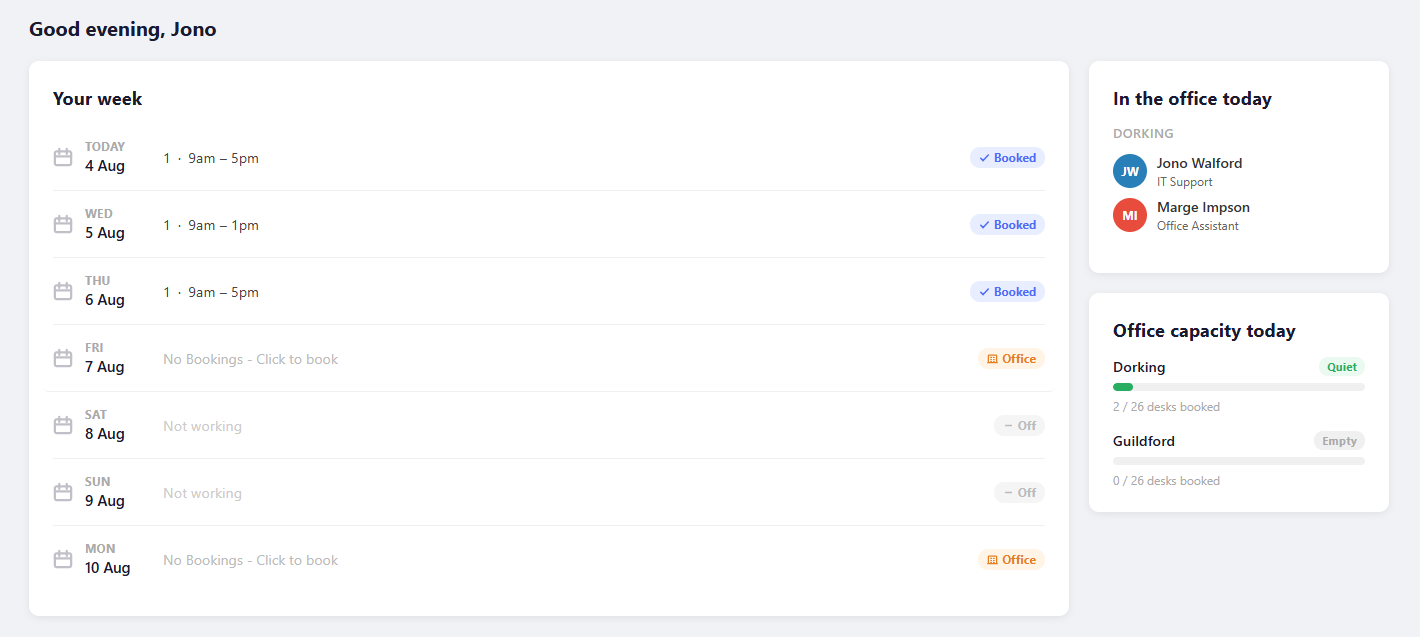
Your whole week, at a glance

The home dashboard surfaces everything you need the moment you open the app — your bookings, your colleagues' plans, and real-time office capacity in one compact view.

  • 7-day schedule with booking status per day
  • Click any office day to jump straight to booking
  • See who's booked in at your default office today
  • Live capacity bars across all offices
emptyspace.app
EmptySpace home dashboard
Interactive floor plan

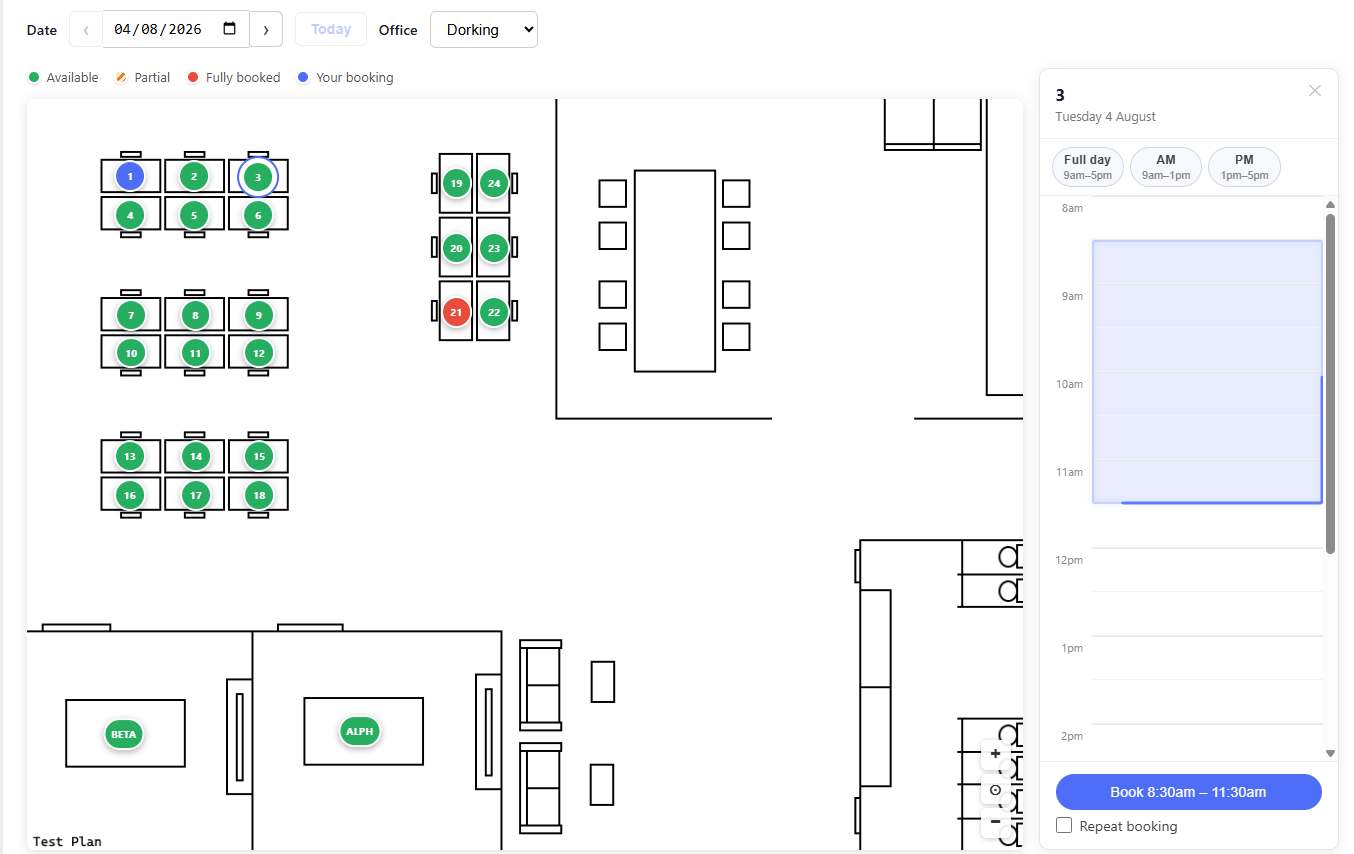
Pick your desk on the map

Upload your office floor plan and place desks directly on the image. Colour-coded markers show availability in real time — click a desk to see who's booked it and choose your time slot.

  • Green, orange, red and blue markers for instant status
  • Pinch-to-zoom and pan on any screen size
  • Sidebar timeline shows availability by the half-hour
  • Multiple floor plans per office
emptyspace.app/book
EmptySpace floor plan booking
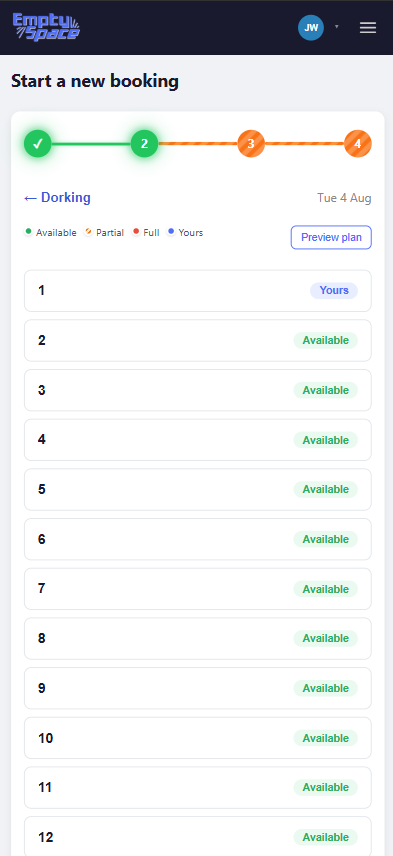
Mobile desk list step
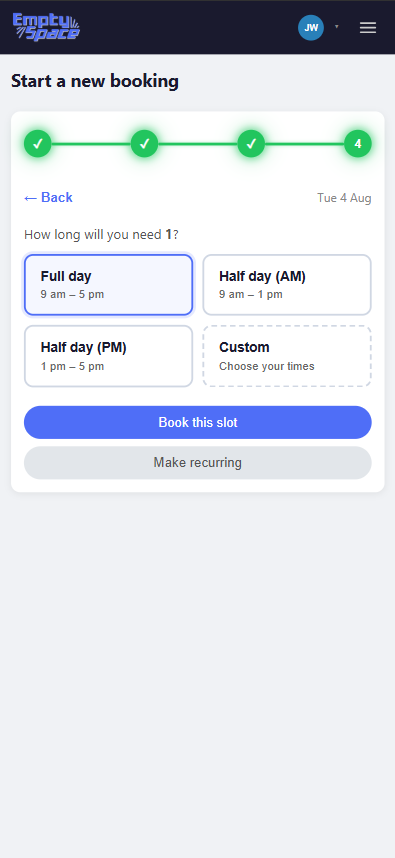
Mobile quick-book step
Mobile experience

Book a desk in four taps

The guided mobile flow walks you through each decision — no hidden menus or long forms. Designed for your commute, not your desk.

  • Step-by-step progress indicator
  • Scrollable desk list with live availability badges
  • Optional floor plan preview before confirming
  • Quick-book: full day, AM, PM, or custom time
  • Set up recurring bookings from the same flow
Everything included

Built for the modern office

Every feature you'd expect — and a few you didn't know you needed.

🗺️

Interactive floor plans

Upload any image as your floor plan and drag desks onto it. Pinch-zoom and pan work on all screen sizes.

📅

Weekly schedule view

Set your weekly work pattern — office, remote, or off — and see your entire week in one compact timeline on the dashboard.

👥

See who's in today

Know which teammates are in before you commute. Set a default office and see their names and roles instantly.

📊

Real-time capacity

Quiet, Moderate, Busy, or Full — live capacity bars across all offices help you pick the best day to go in.

🔁

Recurring bookings

Book every Tuesday and Thursday for the next month in one action. Days auto-seed from your work schedule.

⚙️

Powerful admin panel

Manage offices, upload floor plans, configure desks, set booking hours, and view all bookings — all in one tabbed panel.

Ready to book smarter?

Give your team a better way to coordinate office days — without the back-and-forth.

Get started today
Get in touch

Questions about EmptySpace?

Reach out directly or send a message using the form — we'd love to hear from you.

Contact information

Reach out directly or send a message using the form.

✉️

This opens your email client with the message pre-filled to jwwalford@outlook.com

Message ready to send

Your email client should have opened with your message pre-filled. If not, email us directly at jwwalford@outlook.com